Keep brand deals moving from pitch to payment — with rights dates still visible after delivery.
Creator Brand Deal OS is a buyer-owned Google Sheets workflow for working creators managing overlapping brand collaborations. Keep outreach, deliverables, payment dates, follow-ups and recorded rights and exclusivity facts connected by deal.
USD 19 one-time • No subscription • Google account required • Buyer-owned working copy • No custom setup • No seller access to your normal private working copy
When brand deals overlap, the operating details are what get scattered.
The same collaboration can have a next follow-up in email, deliverables in a brief, payment dates in an invoice and rights dates in an agreement. The workbook connects those recorded facts so you can review what needs attention next.
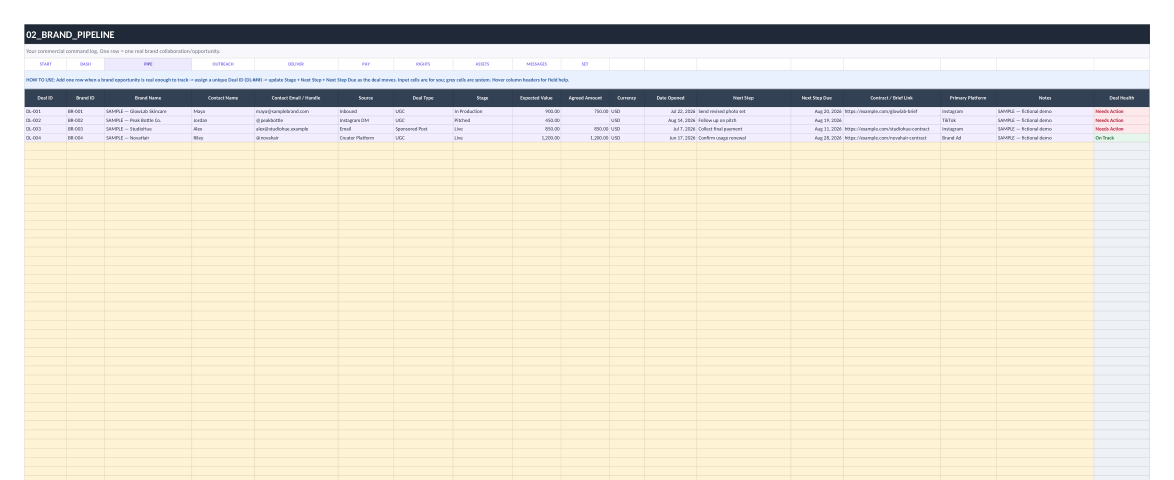
- ✓Track every real opportunity with a unique Deal ID.
- ✓Log outreach and next follow-up dates without automated messaging.
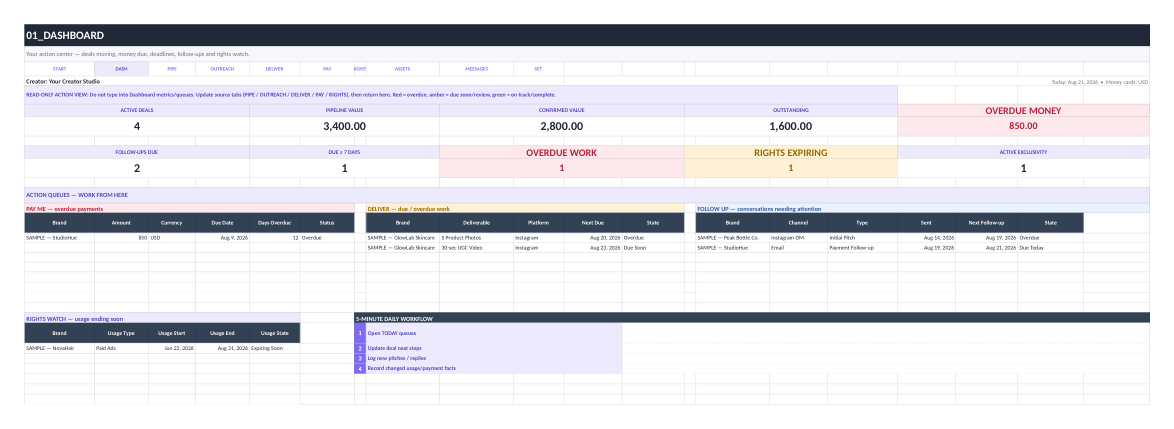
- ✓See due-soon and overdue deliverables from the Dashboard.
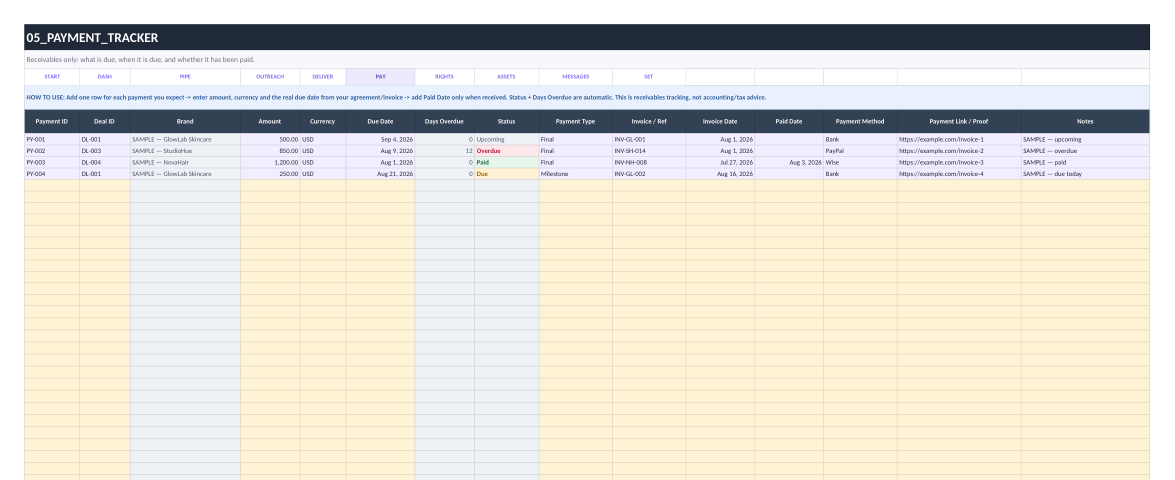
- ✓Track expected payments, due dates and paid dates as receivables visibility.
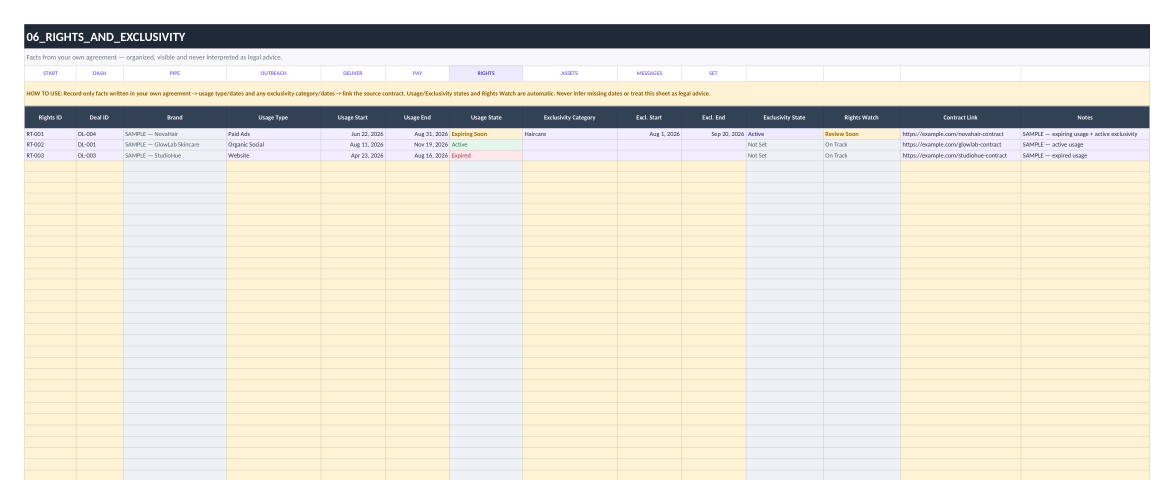
- ✓Record usage-rights and exclusivity facts from your own agreement without legal interpretation.
Ten connected tabs. One deal system.
Deal ID is the common join key so related outreach, deliverables, payments, rights and assets stay connected.
00_START_HERE
Quick Start setup, self-serve rules and safe recovery guidance.
01_DASHBOARD
Read-only action center for active deals, follow-ups, deadlines, money and rights.
02_BRAND_PIPELINE
One row per real brand opportunity with stage, value, next step and due date.
03_OUTREACH
Pitch and follow-up memory. The system flags attention; it never sends messages for you.
04_DELIVERABLES
Promised outputs, platforms, dates and approval states in one production queue.
05_PAYMENT_TRACKER
Receivables visibility: what is due, when it is due and whether it has been paid.
06_RIGHTS_AND_EXCLUSIVITY
Agreement facts such as usage dates and exclusivity windows, organized without legal interpretation.
07_CONTENT_ASSET_LOG
A retrieval layer for draft files, versions and live links tied to each deal.
08_FOLLOWUP_LIBRARY
Copy-paste message templates you personalize with the real facts of your situation.
99_SETTINGS
Reminder thresholds, dropdown values and product settings that support the workflow.
See the system before checkout.
Fictional sample data is shown in all screenshots. These images are taken from the actual workbook. Click any screenshot to enlarge.
A working system + Quick Start.
- ✓Access path to create your own private Google Sheets working copy.
- ✓Quick Start guide for setup, first deal, daily workflow and basic recovery.
- ✓Fictional sample rows you can review before deleting them safely.
No hidden service dependency.
- –No custom spreadsheet build or seller-entered buyer data.
- –No automated email sender, lead database or social-platform integration.
- –No legal, tax, accounting, financial or contract advice.
Self-serve from the first copy.
Checkout
The product page and checkout describe the digital package before purchase.
Quick Start
Open the guide and follow the Quick Start setup sequence.
Create your copy
Use your Google account to make an independent working copy that you own.
Operate
Work from source tabs and return to the Dashboard to see what needs attention.